
Excel Analyst
Advanced Excel for accounting and finance professionals.
The functions, tools and habits that matter most for analysis, reporting and commercial work, not a tour of everything Excel can do. Built entirely from original commercial data, and taught by a CIMA-qualified, ex-PwC financial modeller.
- Go deep on the functions accounting and finance professionals actually use, not a generic feature tour
- Applies directly to reporting, budgeting, forecasting and ad hoc analysis
- Every exercise set in real commercial data, not generic spreadsheets
- The natural first step towards Excel Modeller, if you want to go further
12-month access · CPD certificate included · Monthly plan available
Enrol Now: £195 + VAT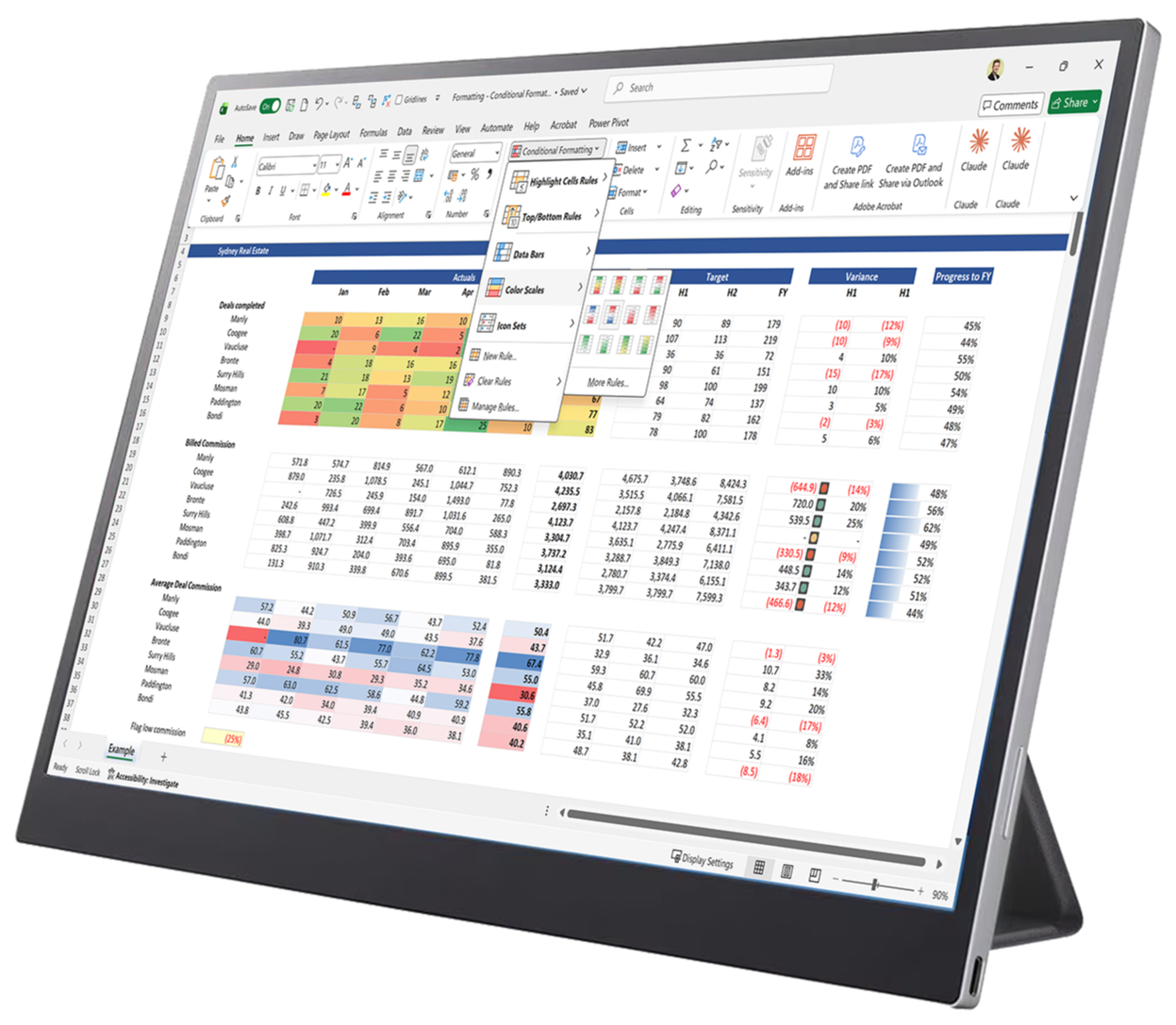



















Where Excel usually falls short
Most Excel gaps stay invisible, until they cost you time.
You pick up Excel as you go: a formula here, a shortcut there, usually from a colleague or a five-minute video. It works, up to a point. But gaps build up quietly.
✗ Still using the long way round
Reaching for VLOOKUP, or a manual workaround, when XLOOKUP or INDEX/MATCH would serve you better.
✗ Spreadsheets others can't follow
No consistent structure or formatting, making it hard for a colleague, or you in six months, to pick up.
✗ Generic tips only go so far
Free Excel content tends to either cover everything shallowly, or nothing especially relevant to accounting and finance work.
What Excel Analyst does differently
Go deep on exactly what finance professionals need.
Excel Analyst deliberately narrows the scope: the functions, tools and habits most useful to commercial and financial work, taught in depth, not breadth.
✓ Advanced functions, properly applied
INDEX/MATCH, XLOOKUP, SUMIFS and more, used the way finance professionals actually use them.
✓ Work that can be trusted and followed
Named ranges, formula auditing and consistent formatting habits, not just faster typing.
✓ Real commercial thinking
How to use goal seek, data tables and scenarios to analyse and answer real commercial problems
Who this is for
Is Excel Analyst right for you?
Designed for accounting and finance professionals who already use Excel regularly.

Finance professional
FP&A, management accounting, commercial analysis, financial control, or a similar analyst or consultant role

Comfortable with everyday Excel
Basic formulas and simple spreadsheets, but lack knowledge of its more advanced side

No formal training
Picked up what you know as you went, not from a structured, best-practice course

Want to go deeper
Looking to work faster and produce sharper, more professional analysis, not collect Excel trivia
Check your fit: if you're not sure you already "know all this", most confident, experienced Excel users still have gaps in how they construct formulas, audit their calculations, apply formula logic, structure scenarios, and present their work. If you already build audited, well-formatted spreadsheets using INDEX/MATCH, SUMIFS, Data Tables and scenario techniques without thinking about it, you're likely ready for Excel Modeller instead, or the Excel Pro Bundle below includes both.
What this course doesn't cover: VBA and macros, and charts and graphs, deliberately. Good spreadsheet habits mean avoiding VBA wherever you can, and this course goes deep on analysis and formula work rather than visualising your work – which deserves a course of its own.
Course overview
See the course before you buy
A walkthrough of what's covered, how it's taught, and the kind of real commercial data you'll work with throughout, so you can judge the level for yourself before enrolling.
▶ 6 minutes
What you will be able to do
By the end of this course, you will be able to:
Every outcome below is something you'll use in real finance work, not just a feature name.
✓ Build faster, more reliable formulas using INDEX MATCH, XLOOKUP, SUMIFS, SUMPRODUCT and IF/AND/OR
✓ Summarise and interrogate large data sets quickly using PivotTables
✓ Stress-test numbers for management using Goal Seek, Data Tables and scenario techniques
✓ Audit and check your own, or someone else's, spreadsheet quickly
✓ Produce client-ready outputs for board packs, stakeholder reporting or management review
✓ Work noticeably faster day to day, through shortcuts most Excel users never pick up
Course snapshots
Preview the course exercises and theory
Examples of the practical and theoretical elements that support the course learning.
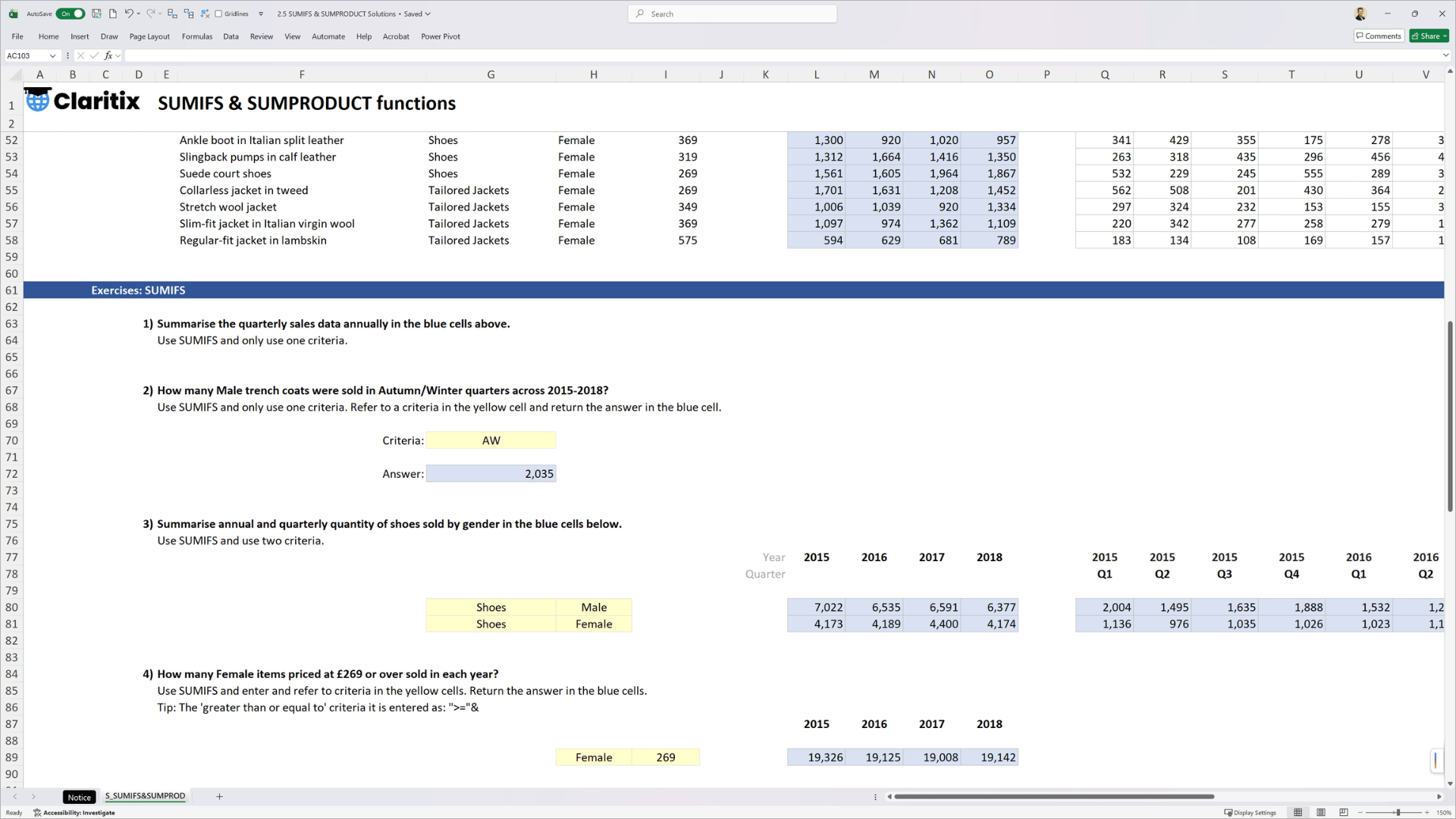
Exercises: Practical tasks gradually build up in complexity to reflect real-world use cases and are supported by solution files.
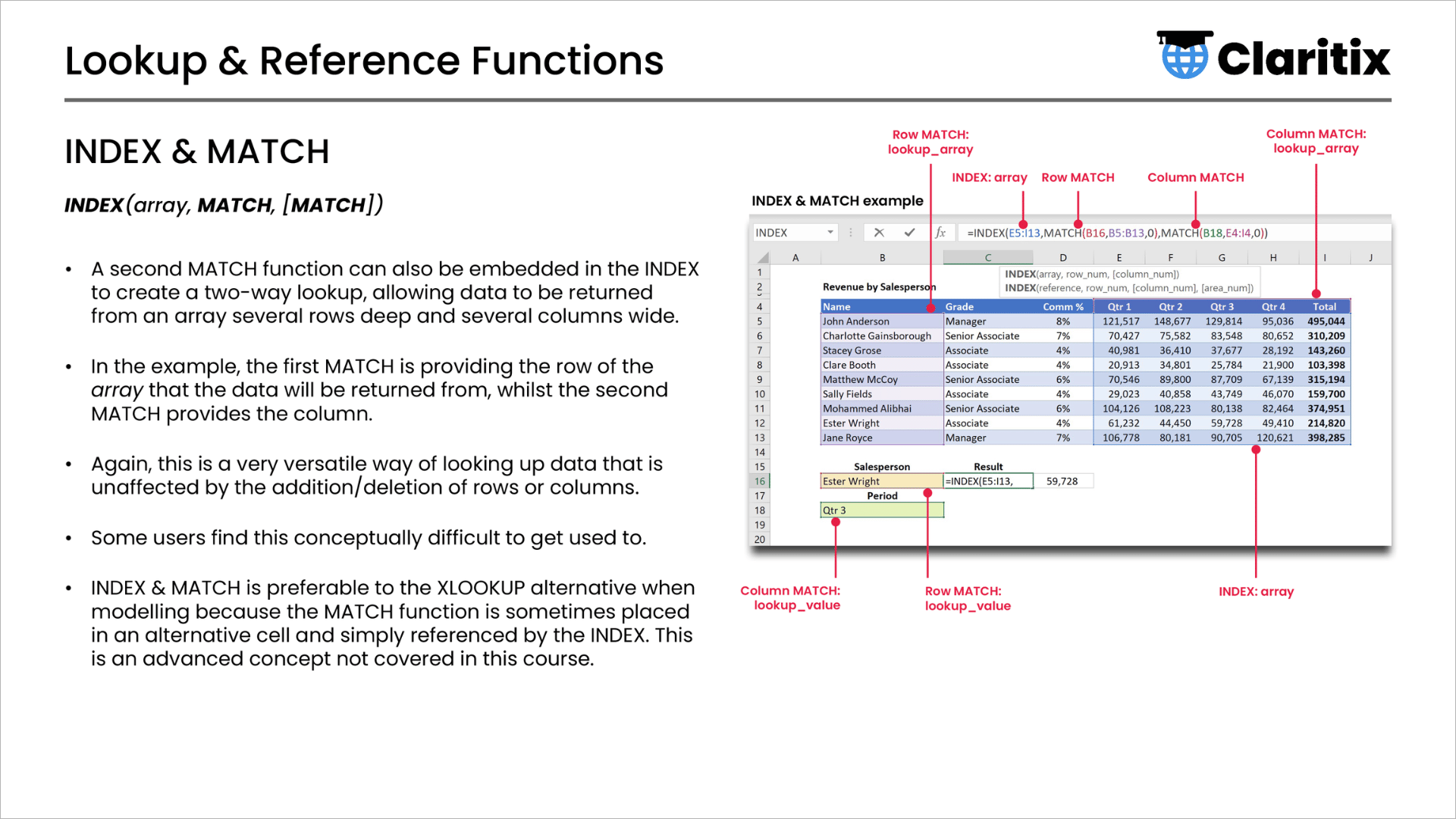
Theory slides: Practical demos are coupled with theory lectures to provide a well-rounded understanding of the course material.
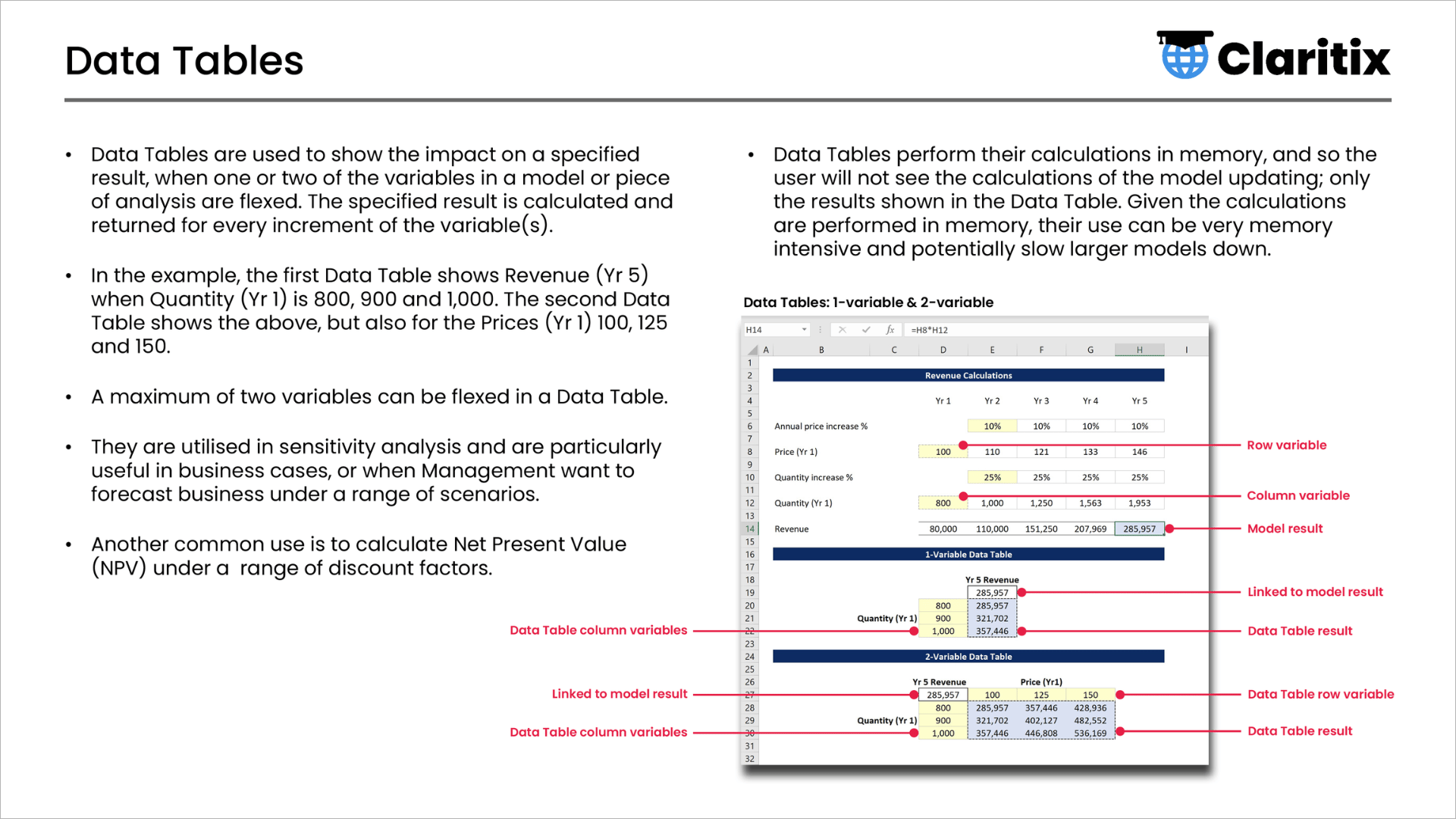
Theory slides: Course content is framed in a commercial context and advises on how and when to apply the learning in real-life work.
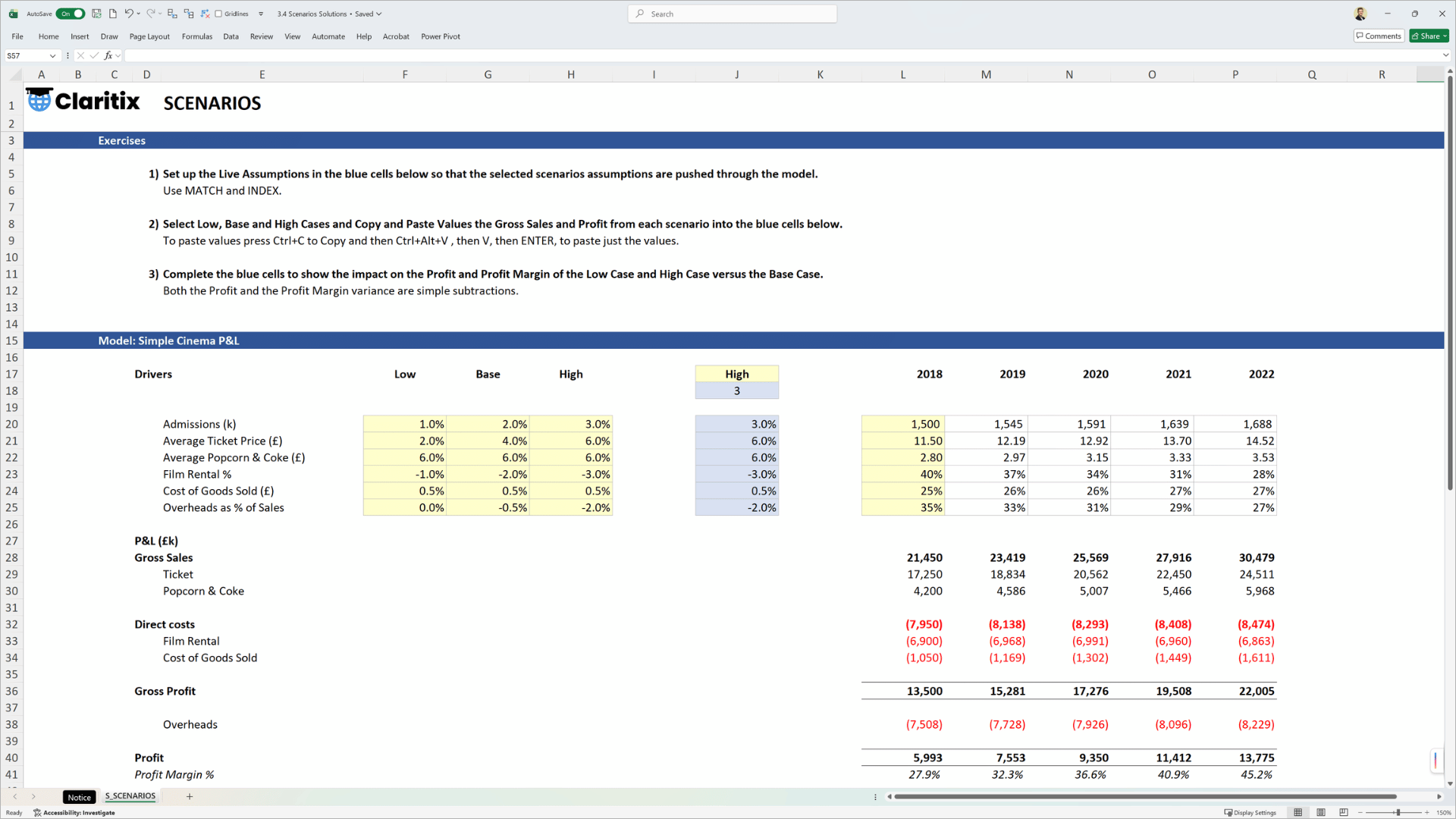
Exercises: Course content is designed to develop the learner's commercial analysis skills to answer questions for senior management.
Course content
What the course covers
4 sections · 8.5 hours of video · 19 exercises · 7 quizzes
Every module pairs short theory videos with Excel demos and a downloadable, commercially-set exercise.
Excel Essentials
Functions, Formulas & Calculations
Data & Analysis Tools
Formatting & Views
Course data
Real engaging data, not generic exercises
Every exercise is set in original data built specifically for Claritix, spanning industries from film and fashion to real estate and sports streaming. None of it is shared with any other course provider.
International Flights
INDEX & MATCH XLOOKUP
IMDB Top 250 Film Data
COUNTIFS RANK PivotTables
Haute Couture Fashion Retail
SUMIFS
Sydney Real Estate Agents
Conditional Formatting
New York Gyms
SUMPRODUCT SUMIFS
Cinema Financial Model
Goal Seek Data Tables Scenarios
Debt Modelling
Formula Auditing Tools
Spotify Streaming Data
Sorting Filtering
Online Sports Streaming
MAX MIN
What is included
Everything you need to learn, practise, and apply
The course is not just video. You get a complete package of materials to support your learning and apply it to your own modelling immediately.

53-page slide deck
The full course theory in one downloadable reference document

19 exercise downloads
Put your learning into practice with challenging exercises and tasks

Solution files & support
Check your work as you go and ask questions in each module's Q&A

7 quizzes
Test your understanding at each stage of the course

Completion certificate
Personalised PDF certificate for CPD records on completion

12-month access
Learn at your own pace – no pressure, no subscription
About the course creator
Taught by a finance professional

Dan Stockdale
CIMA-qualified · 15 years in commercial analysis and modelling · Former PwC consultant
Dan is a former PwC consultant and trainer who specialised in financial and commercial modelling within Strategy&, the firm's strategy consultancy.
Most of his career, though, has been spent in industry: three years as a management accountant, followed by fifteen years as a financial modeller and commercial analyst across education, media, retail and leisure, in London and Sydney.
"Excel Analyst is built from what I've seen work, and not work, in real finance teams: the functions people actually reach for, the mistakes that cost the most time, and the tools and techniques that answer management's questions.
Nothing in this course is theoretical. Every function, every habit, comes from what makes the difference in real analysis and reporting work, not a general tour of what Excel can do."
Dan Stockdale
Founder, Claritix
Testimonials
What learners say
"The course was great for explaining formulas and their application in real life examples that apply to my work. I'll be recommending to colleagues at Facebook for sure!"
Jenny Durgan
Business Strategy & Operations, Facebook
Certificate & CPD
Earn a certificate. Support your CPD.
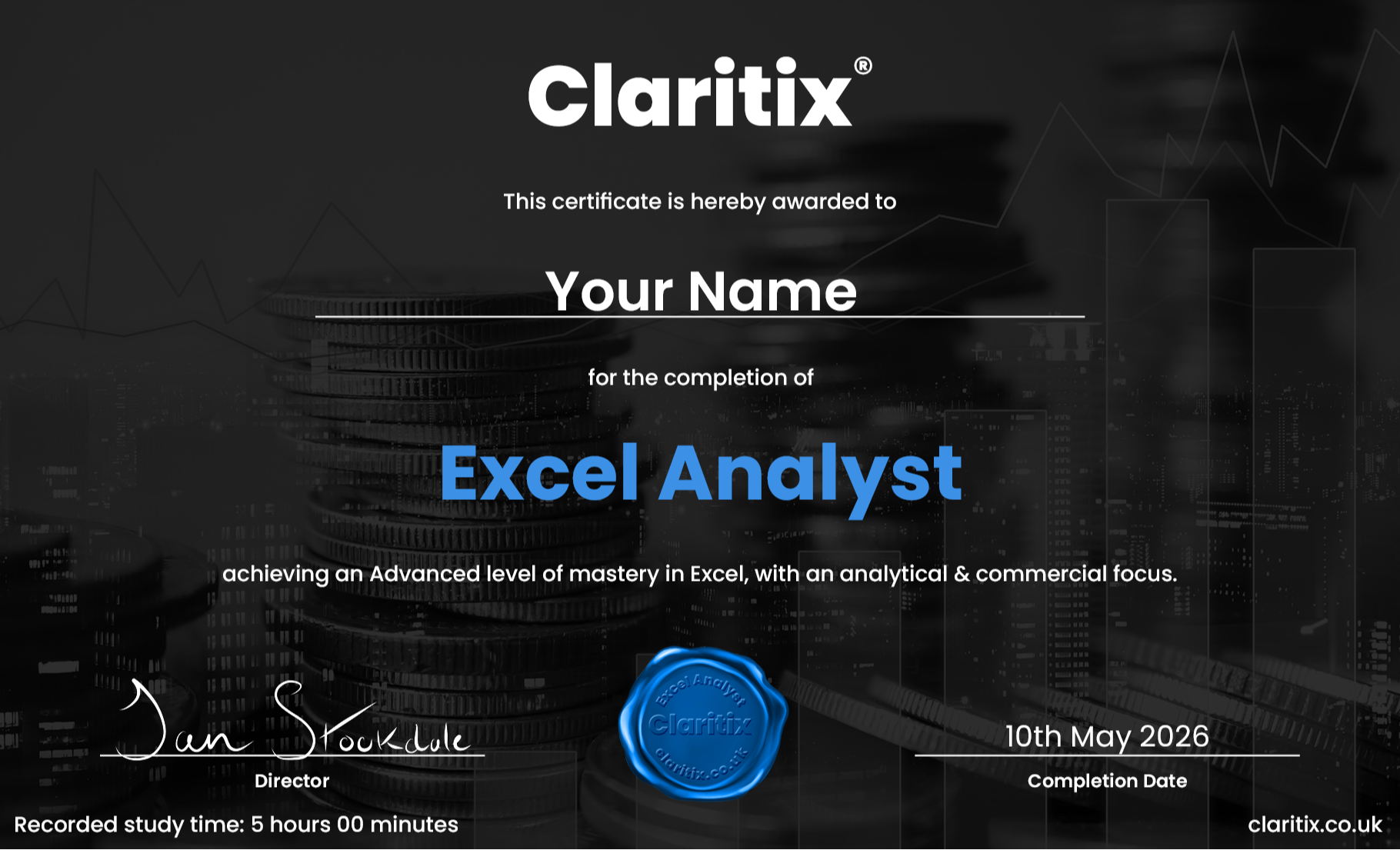
On completion you’ll receive a personalised PDF certificate showing your name, the course title, completion date and your recorded study time, designed to support CPD record-keeping.
Whether you are working towards a CIMA, ACCA, ICAEW, or CIPFA CPD commitment, this course provides verifiable evidence of structured learning. A VAT receipt is available following purchase, making it straightforward to expense through your employer’s training budget.
If you're outside the UK, particularly in the US, please check your professional body's specific requirements before relying on this certificate for CPD/CPE purposes. Claritix courses are not currently certified by NASBA.
Free resource
Not ready to enrol yet? Start here for free.
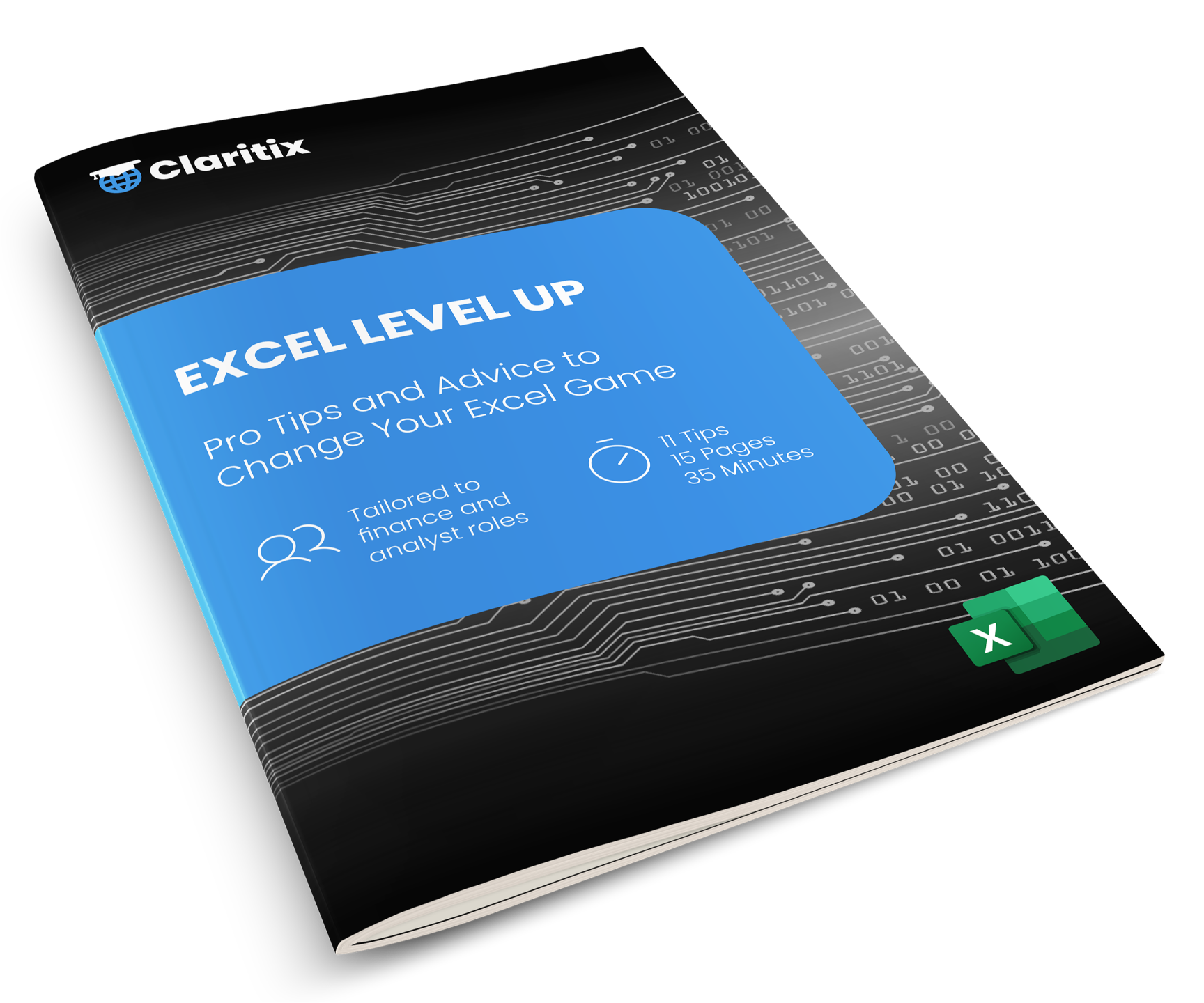
Get our Top 10 Excel Tips eBook straight to your inbox, a good way to see the level and style of Excel Analyst before you commit.
Sign up below and we will send it straight to your inbox. No spam. Unsubscribe at any time.
By subscribing you agree to your data being stored and receiving occasional marketing emails.
Pricing
Invest in yourself
Most participants expense Excel Analyst through their employer's training or CPD budget.
FAQ
Frequently asked questions
Where's the VBA? I don't see macros in the course content.
Will this teach me financial modelling?
I already know SUM, VLOOKUP and simple formulas. Is this course still worth it?
Do I need to be an accountant, or hold a finance qualification?
Will I get files to practice with, or is it just videos?
Can I expense this, and does the certificate count towards CPD?
How long will it take?
Should I buy this course, the monthly plan, or the Excel Pro Bundle?
What happens after I buy?
Ready to start?
Ready to go advanced?
Join Excel Analyst and build the Excel skills that actually matter for accounting and finance work – grounded in real commercial context throughout.
12-month access · No subscription · CPD certificate included · Immediate access on purchase